Expense and invoice automation
Google Apps Script app that reads the CFDI XML and fills in the invoice by itself. It replaced manual entry in Excel.
- Role
- Full development
- Technologies
- Google Apps ScriptJavaScriptHTMLCSS
Context and problem
The sales and purchasing teams invoiced by hand in Excel. The process was slow and prone to data-entry errors.
My role and scope
I built a web application for recording expenses with Google Apps Script, with forms, validations and a supplier catalog.
How it works
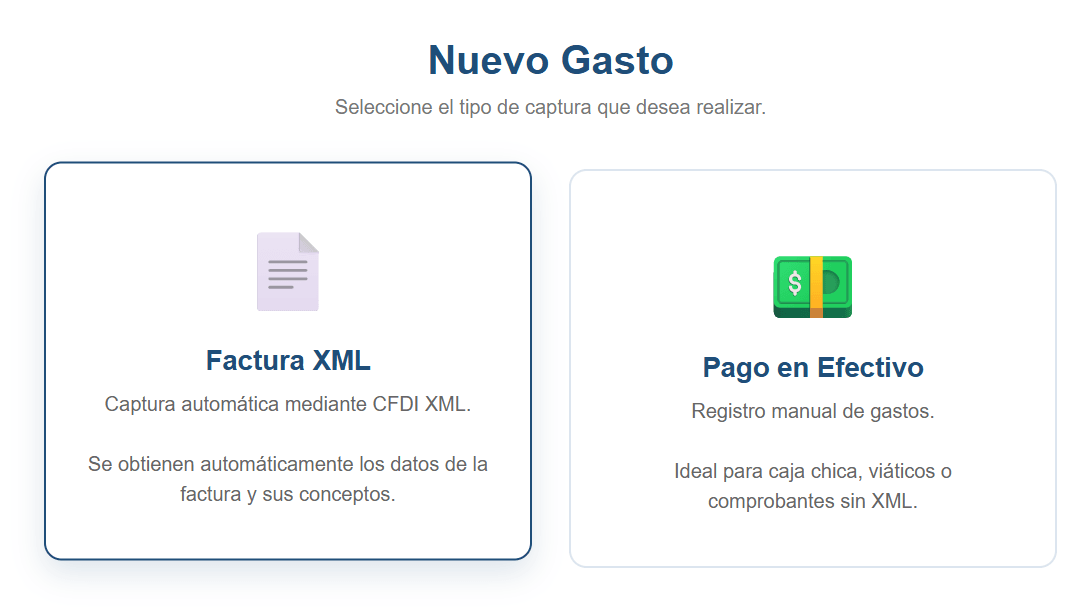
When recording an expense you choose between two capture types.
- XML invoice. You upload the CFDI (the Mexican electronic invoice) and the application fills in the UUID, the supplier, the amounts and the line items by itself. Nobody retypes them.
- Cash payment. Manual entry for petty cash, travel expenses or receipts without XML, with required fields and tax information as optional.
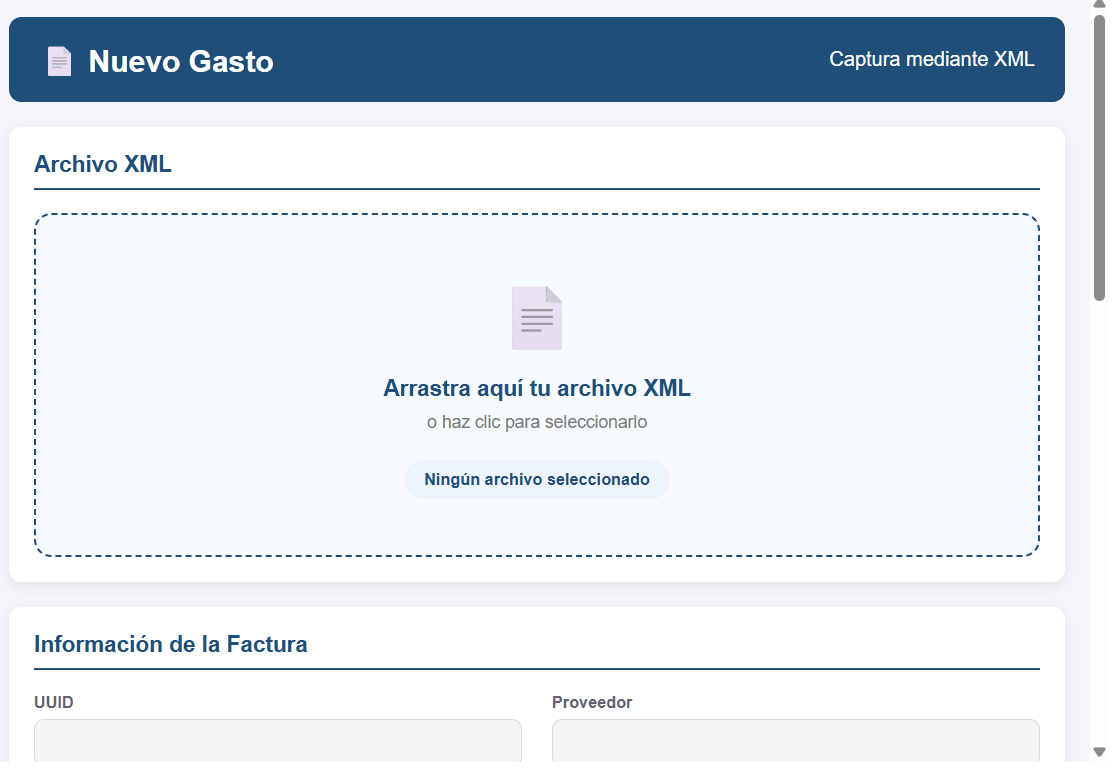
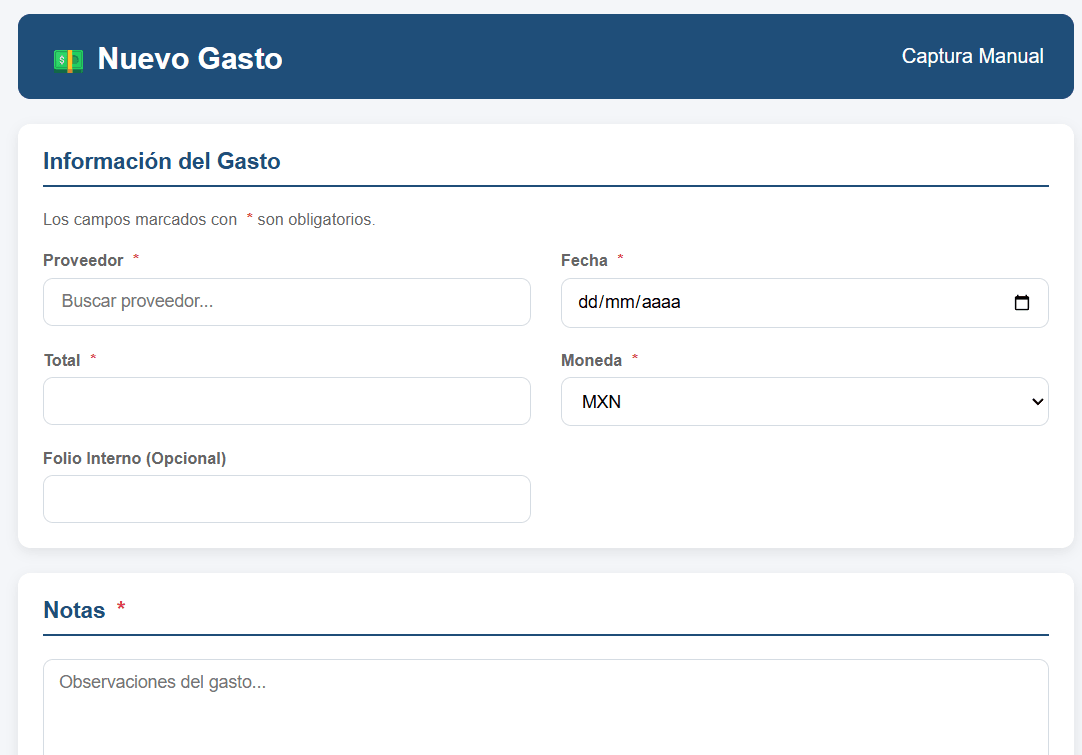
The application also tracks the current check (folio, amount and remaining balance) and a supplier catalog with their credit days.
Outcome
It replaced the manual Excel work of the sales and purchasing teams: the invoice XML fills in the data by itself, and manual entry is left for expenses without a receipt.